Trends Directory
Find trends of anything. For Affiliates by Affiliates.
Social‑Searcher.com - Essential for Trend & Sentiment Tracking
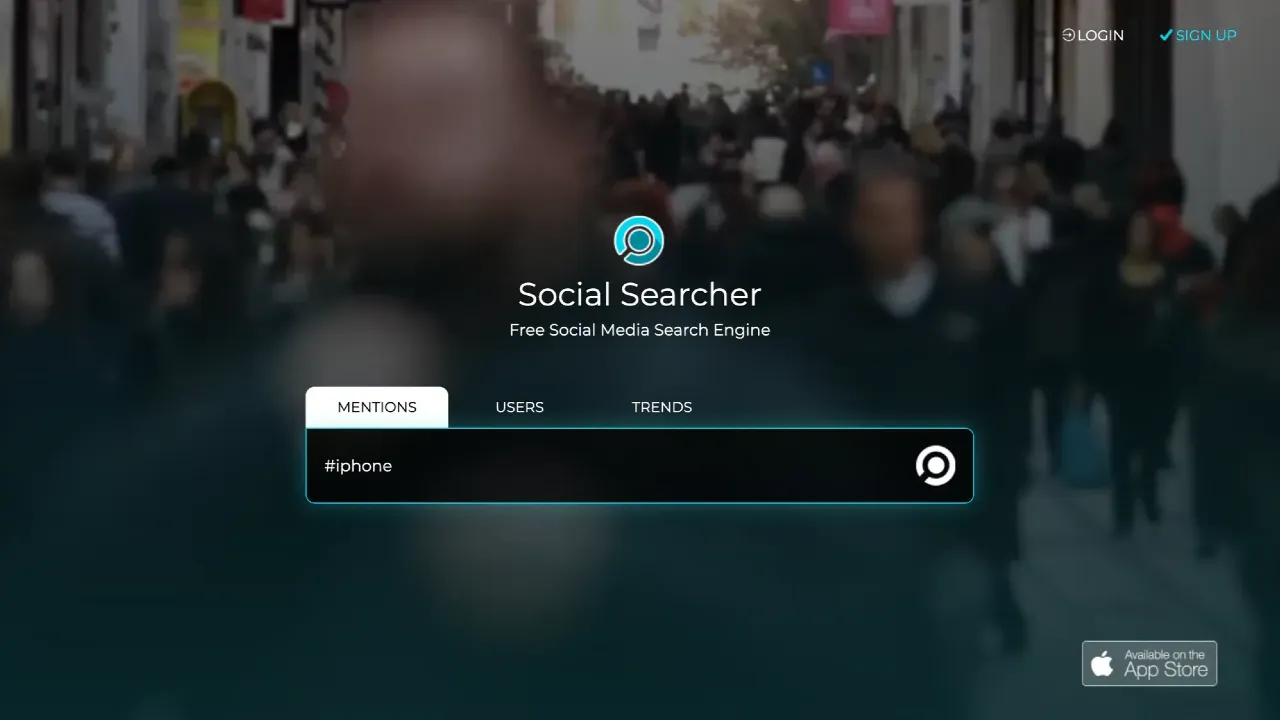
Social‑Searcher is a free (with premium upgrades) real‑time social media search engine that aggregates public mentions from platforms like Twitter, Facebook, Instagram, Reddit, YouTube, LinkedIn, and more—all from one dashboard
🧠 Why Social‑Searcher.com Is Essential for Trend & Sentiment Tracking
Social‑Searcher is a free (with premium upgrades) real‑time social media search engine that aggregates public mentions from platforms like Twitter, Facebook, Instagram, Reddit, YouTube, LinkedIn, and more—all from one dashboard ([social-searcher.com][1]).
It’s a fast, frictionless tool that surfaces what people are saying about your keywords, brand, product, or niche—ideal for trend hunters, marketers, creators, and brand managers.
🔥 Core Features & Why They Matter
| Feature | Why It's Useful |
|---|---|
| Live Mentions Search | Monitor trending topics or brand keywords instantly across multiple platforms ([social-searcher.com][2], [aimtechnologies.co][3]). |
| Sentiment Filtering | Separate positive, negative, and neutral mentions to understand tone and urgency . |
| Post Type Filters | Focus on photo, video, link, or text posts to find the formats that resonate in your niche . |
| Users & Trending Tab | Discover influencer accounts and viral content related to your topic . |
| Email Alerts & Monitoring | Set alerts or ongoing monitoring with historical archives if you upgrade to premium . |
| No-Login Quick Search | Dive into trends without sign-up—great for on-the-fly intelligence . |
| API Available | Integrate Social‑Searcher into your dashboards or workflows . |
🛠️ How to Use Social‑Searcher for Trend Discovery
1. Quick Trend Check
Enter a trending topic or niche keyword (e.g., “vegan snacks,” “AI art tools”). Instantly view live posts, filter by platform, sentiment, or content type. ✨ Tip: Sort by popularity to identify buzzing content fast ([social-searcher.com][4]).
2. Track Emerging Conversations
Save common or seasonal searches (like “Godzilla 2025 tee” or “summer gift ideas”), and set up email alerts or premium monitoring to capture spikes as they happen ([social-searcher.com][5]).
3. Find Audience Triggers & Viral Formats
Use the Users and Trends tabs to locate emerging influencers or viral posts. Adapt their language, visuals, and phrasing for your content or product descriptions ([social-searcher.com][6]).
4. Monitor Brand Sentiment & Reputation
Search your brand/domain and track sentiment. Filter negative sentiment for early crisis signals and positive feedback for testimonials or reusable content .
5. Analyze Preferred Platforms & Content Mix
Check which networks dominate your topic (e.g., Reddit vs. Instagram). Look at whether photo, video, or text posts get the most engagement—and build content that matches ([social-searcher.com][1]).
6. Integrate Trends into Workflow
Export results to CSV, or connect via API (premium) to include social listening in your editorial calendar, product planning, or competitor analysis ([social-searcher.com][6]).
👤 Who Should Use Social‑Searcher?
- Content creators & marketers looking for real-time inspiration
- Brand managers monitoring reputation and sentiment
- Trendspotters tracking viral formats and language
- PR professionals identifying emerging buzz
- Entrepreneurs validating product ideas or campaign ideas
- Social media strategists tuning content mix by format & network
✅ TL;DR
Social‑Searcher = Your real-time radar for social media trends & sentiment. It helps you:
- 🔍 Find what’s going viral across major platforms
- 😄 Gauge sentiment instantly
- 📊 Identify the formats & influencers your audience engages with
- ⚡ React faster than traditional tools (Google Trends or forums)
Basic searches are free and require no login. Premium features enable saved monitoring, analytics, and API access.